Flat Lay Clothing Photography: A Practical Guide
Learn flat lay clothing photography with a simple overhead setup, garment styling tips, a lighting diagram, and fixes for shadows, distortion, and color.
Quick answer
Flat lay clothing photography is an overhead photograph of clothing arranged on a flat surface. Use soft light and a camera pointing straight down, keep the whole garment inside the crop, and check a test image for shape and fabric detail. Keep clear product views separate from styled outfit compositions.
- Flat lay clothing photography shows a garment arranged on a surface and photographed directly from above.
- Keep the camera parallel to the surface, control shadows and include the full garment in the crop.
- A complete flat lay can also serve as a clothing reference for an outfit visualization; inspect the generated garment details separately.
A shirt can look neatly arranged on the floor and still look crooked in the photograph. The camera may be tilted, a sleeve may hide the side seam, or your shadow may cover the fabric. Flat lay clothing photography gets easier when you check the garment, light, and camera position separately. This guide takes you through a small overhead setup, then shows how to arrange different clothes and fix common problems before you pack everything away.
What is flat lay clothing photography?
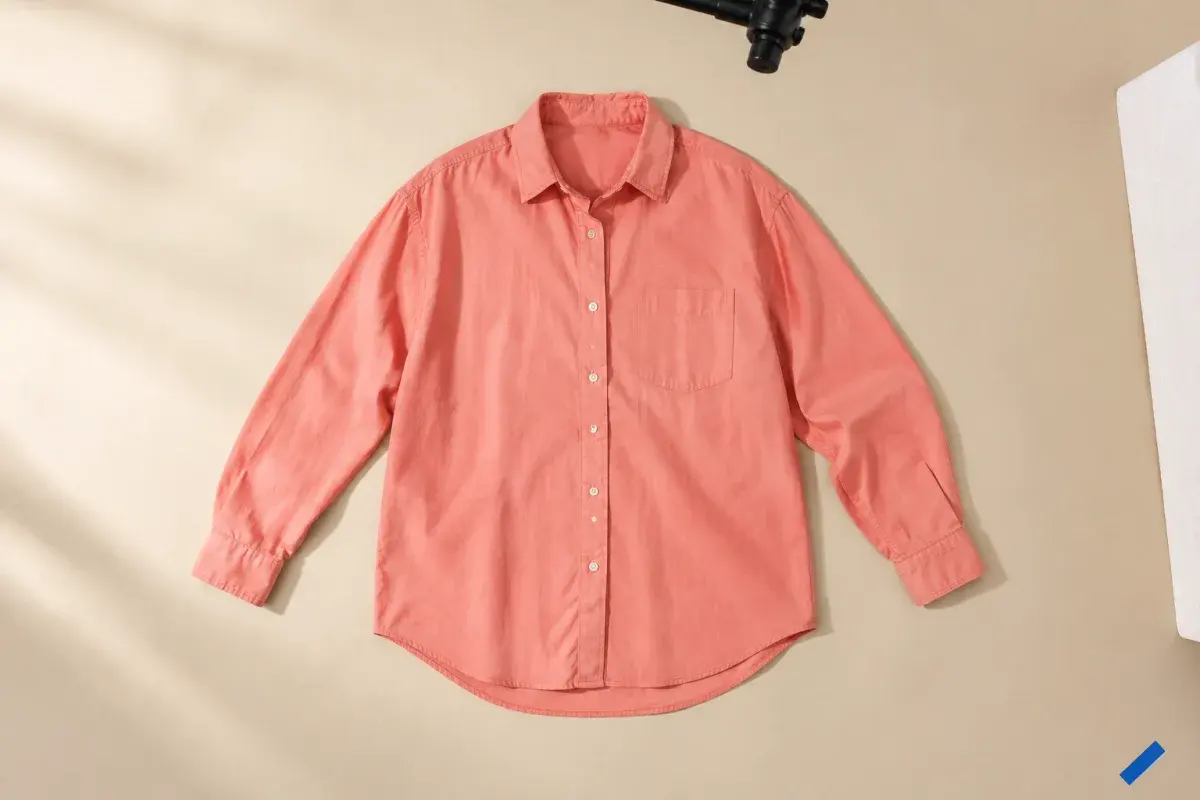
A flat lay places objects on a surface and photographs them from above. Adobe describes the overhead viewpoint and the importance of the arrangement. For clothes, that gives you room to show an outline, print, or combination of pieces without a model in the frame.
Decide which image you are making. A catalog view needs a complete, readable garment. An outfit composition can overlap pieces and include accessories. For example, putting a bag over a shirt may work in a styling image but hides information in a product view. Photograph the shirt by itself first, then make the outfit layout.
The flat view has limits. If a dress has a shaped waist or a jacket has a structured shoulder, add a worn or mannequin photograph to explain the volume. Our clothing product photography guide covers how to build that wider image set.
Adobe describes flat lay photography as an overhead view of objects arranged on a flat surface. Adobe: flat lay composition and overhead photography [1]
Step 1: build an overhead setup you can repeat
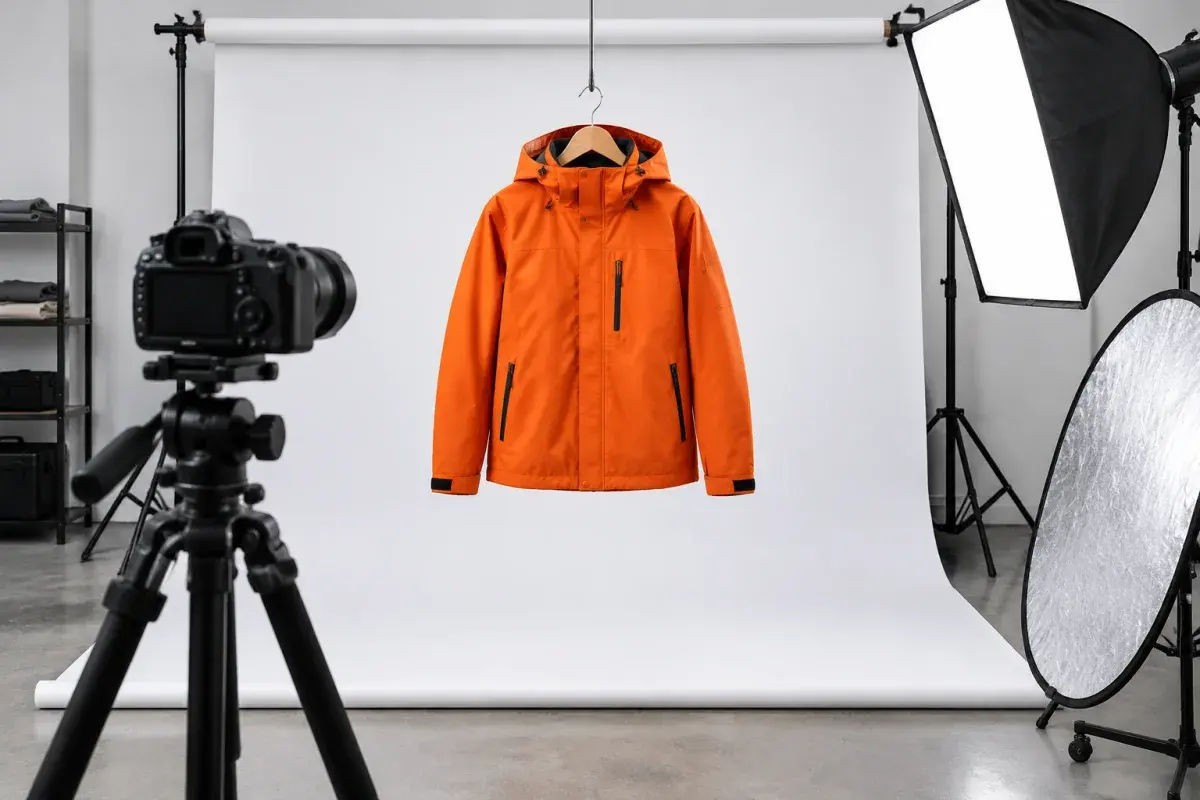
Start with your phone or camera, a clean matte background, and enough space to frame the largest item. Add a stable overhead support if available. A white foam board can serve as a reflector. Keep a lint roller and a garment steamer or iron nearby, using the garment’s care instructions to decide how to remove creases.
Put your test garment on the surface before fixing the camera height. A setup that fits a folded sweater may cut off the sleeves of an open shirt. Leave background on every side, then check the crop you plan to publish. Use removable marks outside the image area to record the camera position and garment center.
Keep overhead equipment secure according to its manufacturer’s instructions. Avoid improvised stacks or standing on unstable furniture to get more height. If the whole item will not fit, move the setup to a lower surface or use a suitable overhead mount.
- Choose a background that stays flat and separates from the garment’s edges.
- Use a single shirt as a test before arranging a whole batch.
- Keep the camera and light positions accessible so you can repeat a front and back view.
- Remove small accessories from the first product image unless they are included in the sale.
Step 2: soften the light and control the shadows
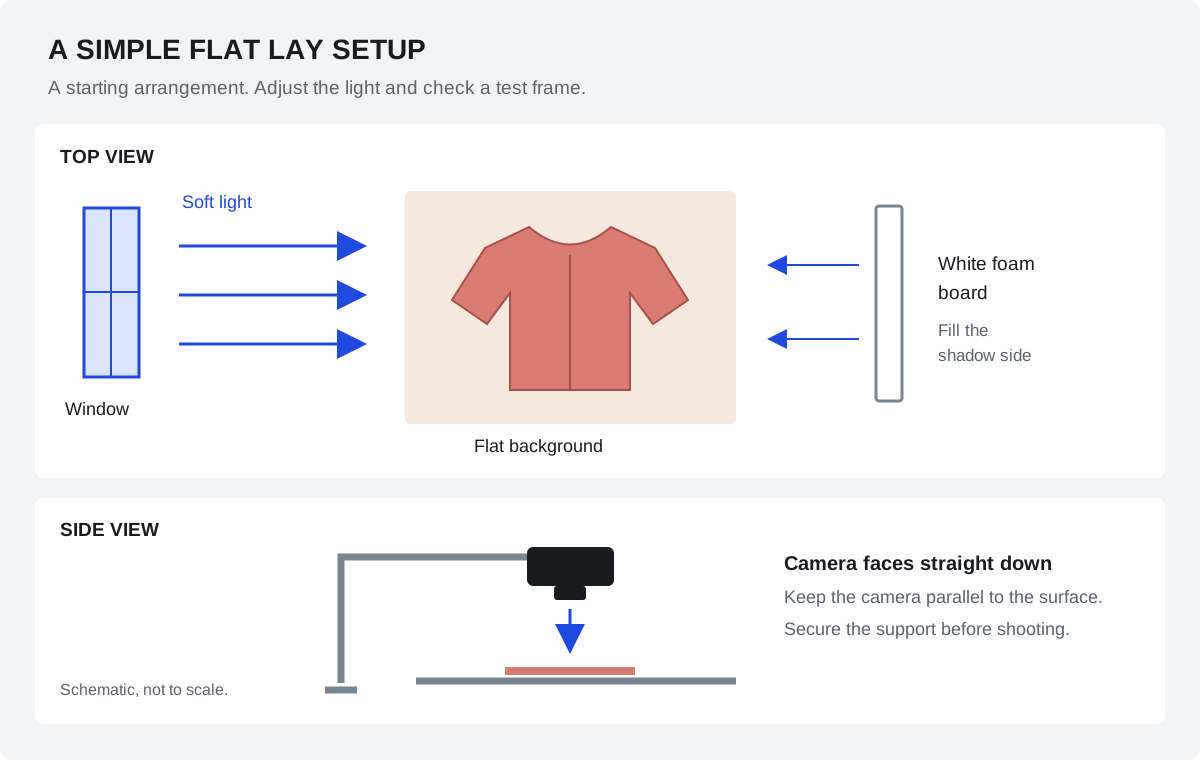
Place the surface beside a window with indirect light, or use a diffused photographic light. Nikon School recommends avoiding direct overhead sunlight and notes that a reflector can fill shadows. Move the garment or diffuse the light if a hard window edge cuts across the fabric.
Start with the light coming from one side. Put white foam board on the opposite side and compare a test with and without it. Bring the board closer if the shadow side loses detail; move it back if the fabric looks too flat. Some shading can help describe texture. The aim is to see the garment clearly, rather than remove every shadow.
Switch off room lights that introduce a different color, and watch where you stand. If your body or phone blocks the window, change your operating position instead of trying to fix the shadow later. For a batch, pause and recheck exposure when daylight changes.
Step 3: arrange the clothing without changing its shape
Remove lint and unwanted creases before positioning the item. Shopify’s clothing photography guide puts garment preparation ahead of capture and editing. Lay the piece down, settle the seams, and check the neckline, fastenings, and hem from above. A fold that looks small from the side may hide a pocket in the photograph.
For a clear product image, begin with a relaxed arrangement that leaves the garment readable. Do not stretch the waist narrower or pull the sleeves into a length the item does not have. If you fold a piece for a styled composition, also keep a complete view that shows what the fold conceals.
Use this table as a starting check. The right arrangement depends on the garment’s actual construction, so inspect the image rather than forcing every item into the same pose.
Shopify's clothing guide recommends preparing garments before capture, including removing lint and wrinkles. Shopify: clothing preparation and product photography workflow [3]
| Garment | Arrange first | Check in the photo |
|---|---|---|
| T-shirt or shirt | Settle the collar and side seams; separate the sleeves from the body | The print, sleeve openings, and hem remain readable |
| Trousers or jeans | Align the waistband and place both legs without tension | A folded leg does not hide the cut or a condition issue |
| Dress or skirt | Give the waist and hem enough surface area | The skirt is not bunched up or artificially spread wider |
| Knitwear | Support the item on the surface and let it settle | Cuffs and shoulders are not stretched by the arrangement |
| Jacket | Choose open or closed, then arrange the collar and sleeves | Lapels, closures, and pockets are visible in at least one view |
Step 4: keep the camera parallel to the surface
Aim the lens straight down, with the camera centered over the area you want to photograph. Nikon’s flat lay guide recommends keeping the camera parallel to the background and using an overhead support. Turn on the camera grid or level if available, then use the test image to check whether the garment looks skewed.
If the top of a shirt appears wider than the bottom, check camera tilt before rearranging the shirt. Avoid moving very close with an ultra-wide lens simply to fit everything in. Try increasing the distance and using a less wide view, then inspect the edges for distortion.
On a phone, clean the lens, select the main camera as a starting point, and tap the garment to focus. Check light and dark fabric before capturing the set. With a camera, choose settings that keep the whole garment sharp in your actual setup. A timer or remote release can help you take the shot without touching the support.
Nikon School's flat lay guide describes the directly overhead viewpoint and camera positioning. Nikon School: camera position, lighting, and flat lay arrangements [2]
Step 5: inspect one frame before shooting the set
Open the test photo at a useful viewing size. Check the complete outline first, then inspect seams, print edges, and fabric detail. Look for a clipped sleeve, a shadow from the support, or a pale collar disappearing into the background. Correct the physical setup while the garment is still in place.
Once the front is usable, photograph the back and the details the item needs. Keep the same framing where it helps comparison. For a patterned shirt, include both a complete view and a closer view of the print. For a resale item, show relevant wear in context and close up.
After the documentary views, make your styled composition. Try adding one pair of trousers or one accessory, then check whether the main item remains obvious. Nikon suggests comparing several arrangements. Keep useful variations, rather than taking a long sequence of nearly identical frames.
Fix common flat lay problems at the setup
Change one thing between test frames so you can see whether it helped. A new camera angle, different reflector position, and tighter crop all at once make the cause harder to identify. Start with the issue that prevents the garment from being understood.
| Problem | Check first | Try next |
|---|---|---|
| Your shadow crosses the clothes | Are you between the window and garment? | Move your operating position or use a timer or remote |
| One side looks too dark | Is the light striking from only one direction? | Compare a test with white board on the shadow side |
| The garment looks tapered or crooked | Is the camera tilted relative to the surface? | Level the camera and center it before moving the clothes |
| White fabric loses its edges | Are bright areas overexposed or blending into the background? | Reduce exposure as needed or choose a background with more separation |
| Dark fabric becomes a solid shape | Can you see the seams in the original file? | Adjust the light or fill and retest exposure |
| Color changes across the image | Are window and room lights mixing? | Use one consistent light source and review white balance |
| Fine stripes show wavy color bands | Does the pattern change with viewing size? | Try a small change in camera distance and inspect the exported file |
Edit the set and check the uploaded crop
Straighten the frame, correct exposure and white balance, and apply a consistent crop. Compare the edited image with the actual garment under consistent light. Keep texture, construction, and condition visible. If a crease or missing detail needs extensive reconstruction, consider reshooting instead.
Keep your originals and export separate listing files. Use the current requirements of your store or marketplace for dimensions, format, and background rules. Check the actual upload on a phone as well as a larger screen. Leave room for square thumbnails when the platform uses them, and verify that neither the cuffs nor the hem gets cut off.
Name the set by item and view, for example shirt-coral-front, shirt-coral-back, and shirt-coral-cuff. A repeatable naming pattern makes missing photographs easier to spot before you dismantle the setup.
Using a flat lay as an outfit reference
For a clothes changer reference, select a sharp image with the whole garment visible. A single-item product view is easier to interpret than a layered outfit with a bag covering the neckline. Check that the chosen photograph includes the parts you want to transfer, such as the sleeves and hem.
ClothesSwitch accepts a person photo and an outfit reference. Our step-by-step photo editing guide shows the actual upload and generation controls. A generated styling image can change the garment’s details, so compare the output with your source. Keep real product photographs available when showing what an item actually looks like.
Frequently asked questions
What is flat lay clothing photography?
It is a photograph of clothing arranged on a flat surface and captured from above. You can make a clear single-garment product view or a styled outfit composition. A flat lay shows visible design and outline; it does not show exactly how the garment hangs on a body.
Can I take flat lay clothing photos with a phone?
Yes. Start with a clean lens, soft light, and the camera facing straight down. Leave enough distance to frame the whole item without relying on an extreme wide-angle view. Take a test and inspect fabric detail and sharpness before shooting more clothes.
What background works best for clothing flat lays?
Use a clean, matte surface that is large enough for the garment and separates from its edges. Pale gray or cream can help distinguish white clothing; a simpler light surface may suit a dark item. Check any marketplace background requirements before choosing the final setup.
How do I avoid shadows in flat lay photography?
Use indirect window light or a diffused photographic light, keep your body and support out of the light path, and try white foam board opposite the light to fill dark areas. You do not need to remove every shadow. Retain enough shading to describe the fabric while keeping details readable.
Should I fold clothes for a flat lay?
Folding can work for an outfit composition or a fabric detail. For a main product view, leave enough of the item open to explain its outline and construction. Add a complete view whenever a fold hides length, shape, a pocket, or a condition issue.
What camera settings should I use?
There is no single setting for every light, lens, and garment. Keep the camera stable, focus on the clothing, and choose exposure and depth of field that retain detail across the item. Inspect a test at a useful viewing size and adjust before starting the batch.
Sources and editorial notes
The setup advice draws on published photography guidance from Adobe, Nikon School and Shopify. The lighting diagram is our schematic starting point, not a measured studio test. The guide separates a product-record photograph from an illustrative styling image.
Editorial update: October 24, 2026. The references below support the attributed information in this guide. Third-party features and terms may change; check the linked publisher before acting.